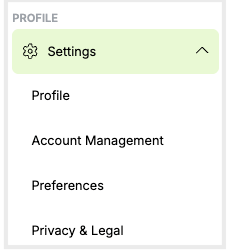
The Settings tab has four sections:
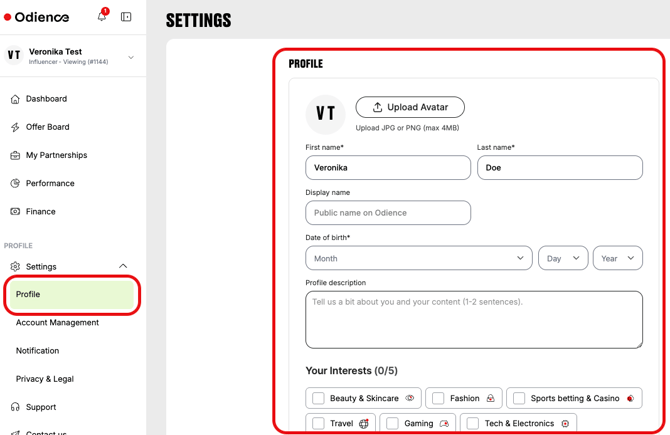
- Profile – where you can view and edit your name and connected social media accounts.
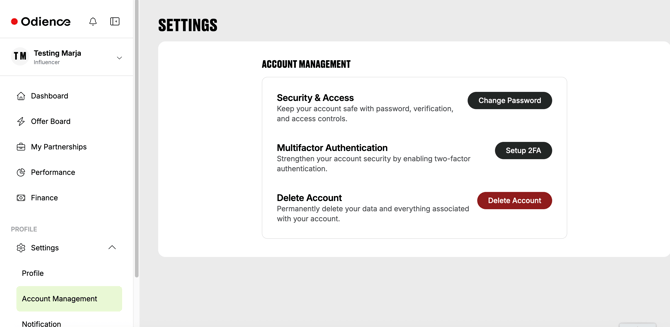
- Account Management – where you can delete your account.
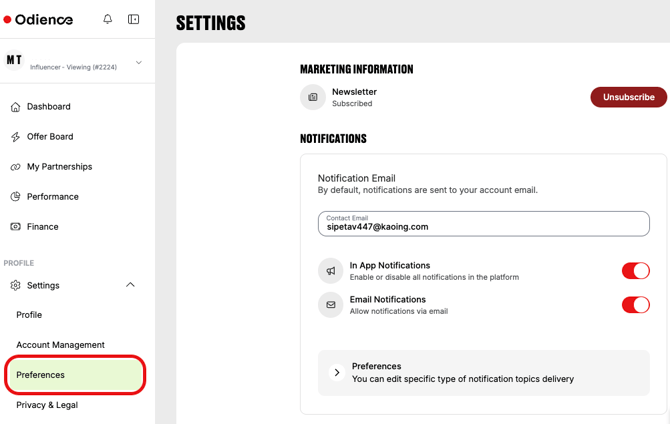
- Preferences – where you can manage the in-app and email notifications.
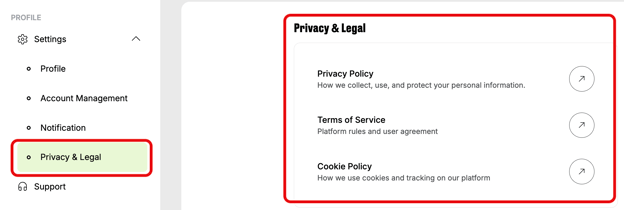
- Privacy & Legal – where the links to the Privacy Policy, and Cookie Policy and Terms of Service are listed.
Profile
The Profile section includes your full name, niches, connected social media accounts, and aan avatar upload option. You can edit all fields.
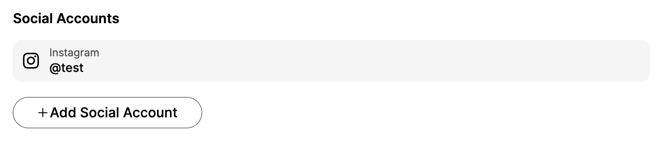
You can also add a new social media account by clicking Add Social Account or remove the existing account by clicking the bin icon.
Account Management
From the Account management section, you can
-
change your password
-
set up two-factor authentication, and
-
delete your account.
Preferences
On the Preferences page, you can choose
- whether to subscribe to the Odience newsletter;
- which in-app and email notifications you want to receive.
By default, notifications are sent to your account email.
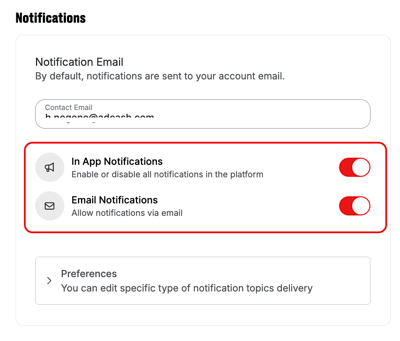
You can enable or disable all in-app and email notifications by toggling on/off the switch .
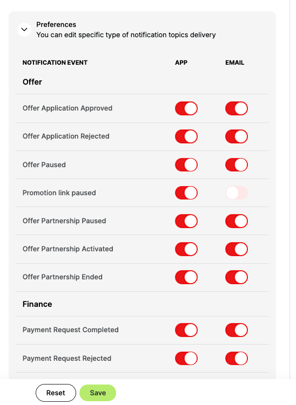
To choose specific notifications, click Preferences in the same page.
Notifications are grouped as Offer and Finance-related, and by channel: app or email.
Toggle on/off each notification based on your preferences.
After you make your changes, click Save.
Privacy & Legal
The Privacy & Legal page includes links to the Privacy Policy, Terms of Service, and Cookie Policy on our website.