
Contents
- What is the Agency System?
- How to create Agency accounts
- Agency Commission and Earnings
- Billing Details and Payment Setup
- Monitoring Influencer Performance
What Is the Agency System?
Agency System in Odience operates as a centralized hub for agencies. It enables agencies to manage multiple influencers, collect earnings, and oversee performance, all within one platform.
An agency account can:
- Represent multiple influencers under one roof
- Monitor the performance of all influencers on their roster
- Collect influencer earnings and handle payouts externally
How to create an Agency account
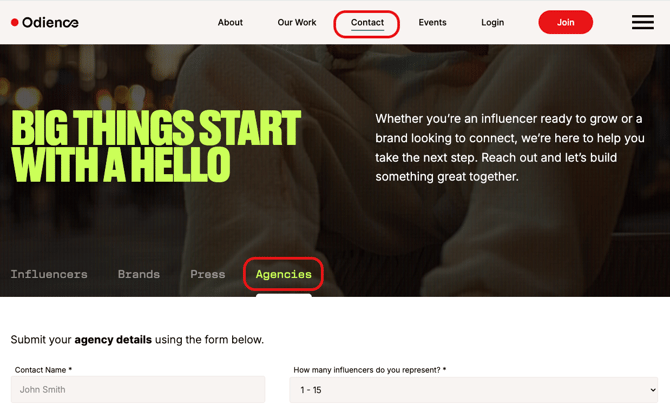
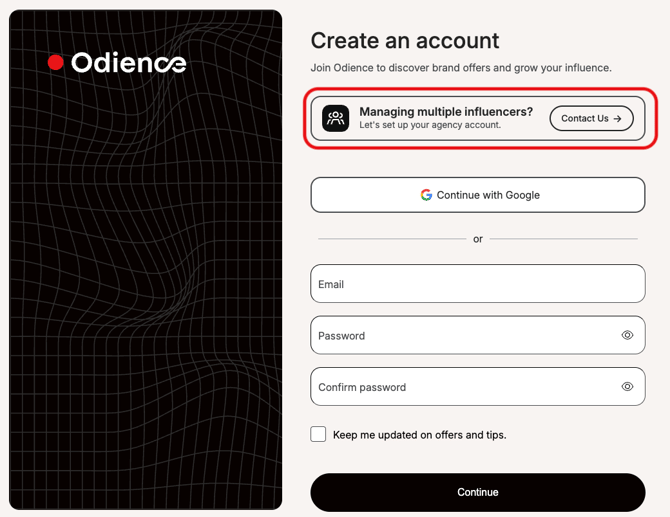
1. As an agency, first express your interest in joining our platform through the contact form.
You can find the form in two ways:
- On the Odience.io website, click Contact > Agencies tab,
- Or click Join, and in the "Create an account" page, click Contact us.
2. After you submit the form, our team will review it and contact you via email.
3. Once our team receives all the information, we will send you an email invitation to create an account on the platform.
4. Click Join to open the account registration form. Here, you can register using a Google account or an email and password.
Please note: Once you are onboarded to the platform, you must sign the Agency Contract.
Agency Commission and Earnings
All earnings generated by influencers under the agency are routed to the agency account.
The agency is responsible for distributing compensation to individual influencers outside of the Odience platform.
Please note: Odience does not manage or facilitate agency-to-influencer payouts.
Billing Details and Payment Setup
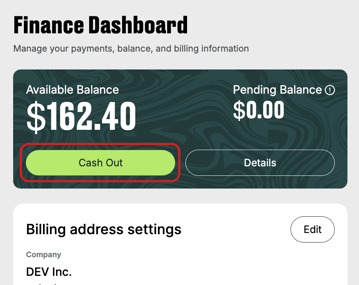
Before you can cash out influencer earnings as an agency, you must set up
- Agency billing details
- Payment account (bank account and supported payment method)
Check out the articles Adding and Managing Billing Details and Supported Payment Methods for Influencers for more details.
Once the information is in place, you can cash out your earnings.
Monitoring Influencer Performance
Agencies have access to performance data for all influencers in their roster on the Performance page.
Available reporting data includes:
- default metrics that are based on individual influencer performance (clicks, sales, earnings, etc.);
- other metrics such as offer, sub-offer, social media.
To view the performance reporting:
- Inside the agency account, navigate to Performance.
- Select an individual influencer or view the full roster summary.
- Apply date ranges or filters as needed.
- Export reports if the option is available.
If you have any questions, contact us at shout@odience.io.